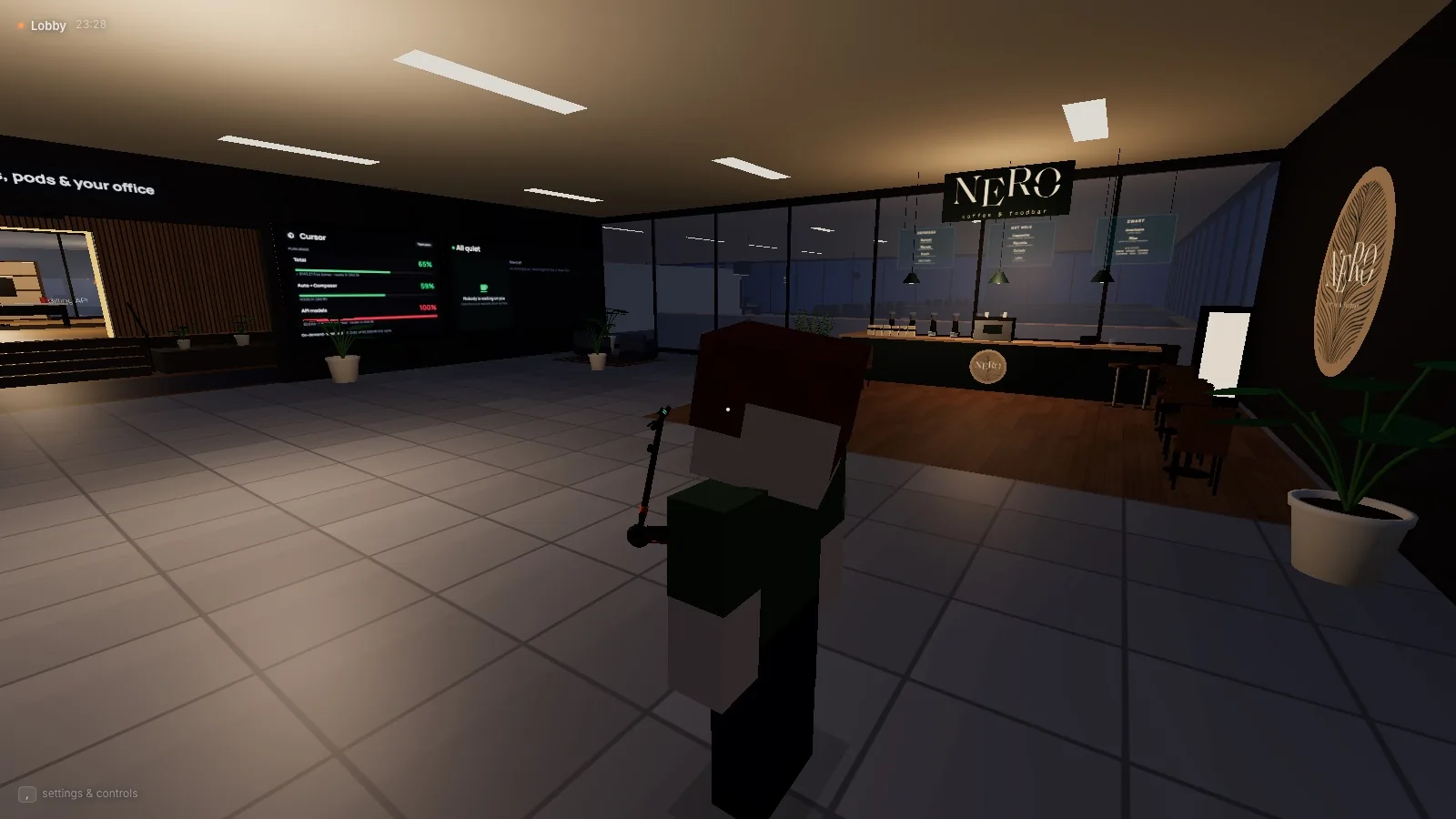
Running one AI coding agent is easy. Running five is a different job. Every agent lives in its own terminal tab, asks its questions in its own scrollback and finishes whenever it feels like it. The code is rarely the hard part any more. Knowing who needs me, who is stuck and who is quietly burning through my plan limits is.
So I built Agent Office: a first-person 3D office where my coding agents work as engineers. They get a name, a personality and a desk, every project gets its own room, and when someone needs me they raise a hand. It has become the tool I run my own AI workflow from.
Why an office, of all things?
A list of terminal sessions tells you nothing at a glance. An office does. You can see a busy team, an empty desk and someone waving at you from across the floor without reading a single line of output. Spatial state is something people are very good at, and it scales much better than tabs.
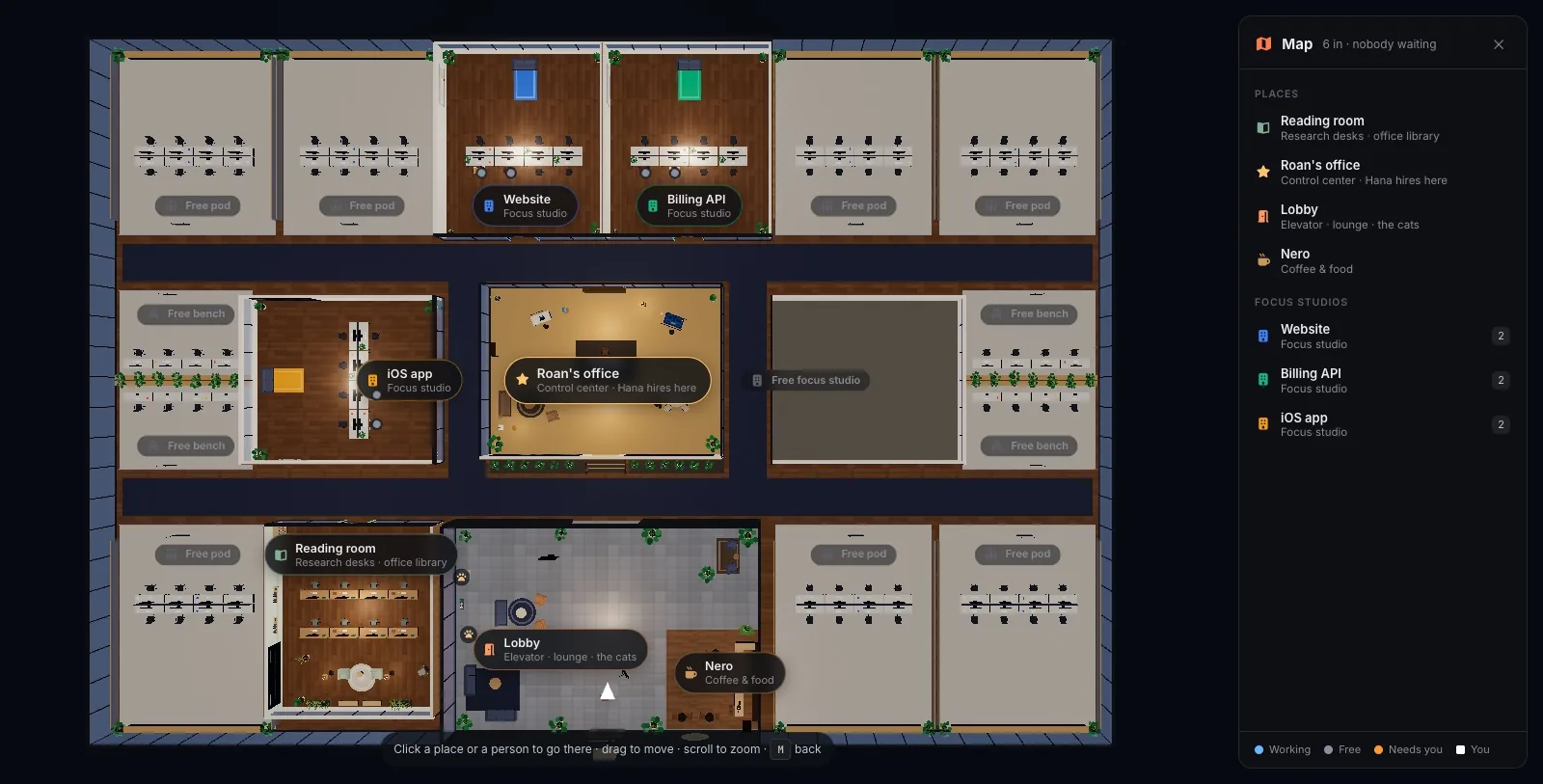
The floor is laid out around my own office in the middle. Busy projects get focus studios right next to it, others get pods along the windows, and quiet ones share a bench. How close a project sits depends on its "heat", the last two weeks of work. Once a day, on moving day, projects move to the place their heat earned them and their engineers walk over carrying a box.
Hiring a team
Hana, the hiring manager, stands at the meeting table in my office. I pick an engine (Claude Code, Cursor or Antigravity), a role, a project, a model and an effort level, and a new engineer arrives by elevator and sits down at a desk in that project's room.
Each hire gets a generated identity: a name, a bio, a quirk and a blocky avatar with their own face and clothes. It sounds like decoration, and partly it is. But it also makes it far easier to remember which agent was doing what than "the third Claude session".
They come to you
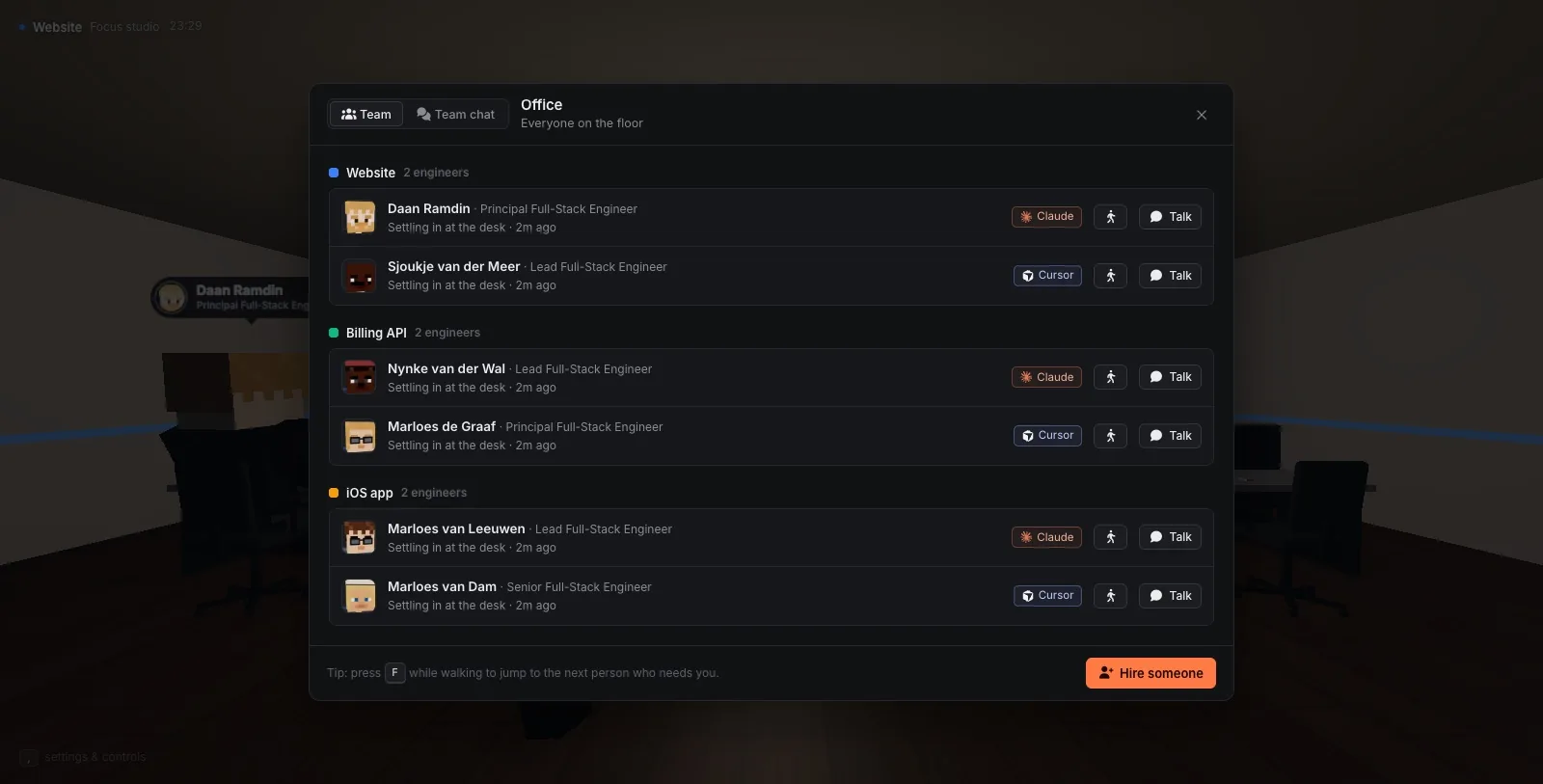
The core idea is that I shouldn't have to poll my agents. They come to me:
- An orange ? and a raised hand means a question, either a multiple-choice one or a plain question at the end of a turn.
- A yellow ! beacon is a permission request I can allow once, always allow, or decline with a reason.
- A green ✓ means a task is finished and a report is waiting. A red ✕ means the last turn failed.
Questions also arrive as native macOS notifications, with the answers as buttons. And with push to talk I can hold T, look at an engineer and just say what I want. A "yes, go ahead" answers a permission request, and "no, use pnpm instead" declines it with that reason.
Task boards that the team works through
Every room has a task board with Backlog, Ready, Waiting, In progress, Review and Done columns. I write a task with its context, screenshots and documents, and drop it in Ready. A free engineer who fits picks up the top one by themselves.
For bigger jobs I can tick Plan first. The engineer who picks it up builds nothing yet. They split it into subtasks, each with who it's for and what it depends on, and I approve the plan before anything starts. When work is handed in I see the report and every file's diff, and approving it merges exactly that commit.
Parallel work gets its own trick. A setup engineer works out how to run the project in parallel and proves it in two trial worktrees. After that, every engineer gets their own git worktree, branch and ports, so five people can work on one repository without stepping on each other's files.
Keeping an eye on limits and costs
AI coding plans have limits, and agents are very good at finding them. The lobby has two big screens showing how much of my Claude Code and Cursor limits is used and when each one resets. Every turn is booked in a ledger with the engineer, project, model and cost, so I can see spend per day, per project and per engineer.
On top of that sit automations: rules in the form When … If … Then …, which can hold an engineer, hand work over or switch models as a limit gets close.
One shared memory for every engine
Agents forget. Different engines forget differently, and none of them can read each other's notes. Agent Office keeps one memory for the whole team, in plain Markdown notebooks using the Open Knowledge Format: office-wide knowledge, a notebook per room and private notes per engineer.
Engineers propose what they learned, and a librarian agent called Marrit files it. She merges proposals into existing entries, turns down noise (with a reason) and checks claims about the code before they stick. Every engine reads the same notebooks, so something a Claude Code engineer learns on Monday is known to a Cursor engineer on Tuesday.
The Mac companion
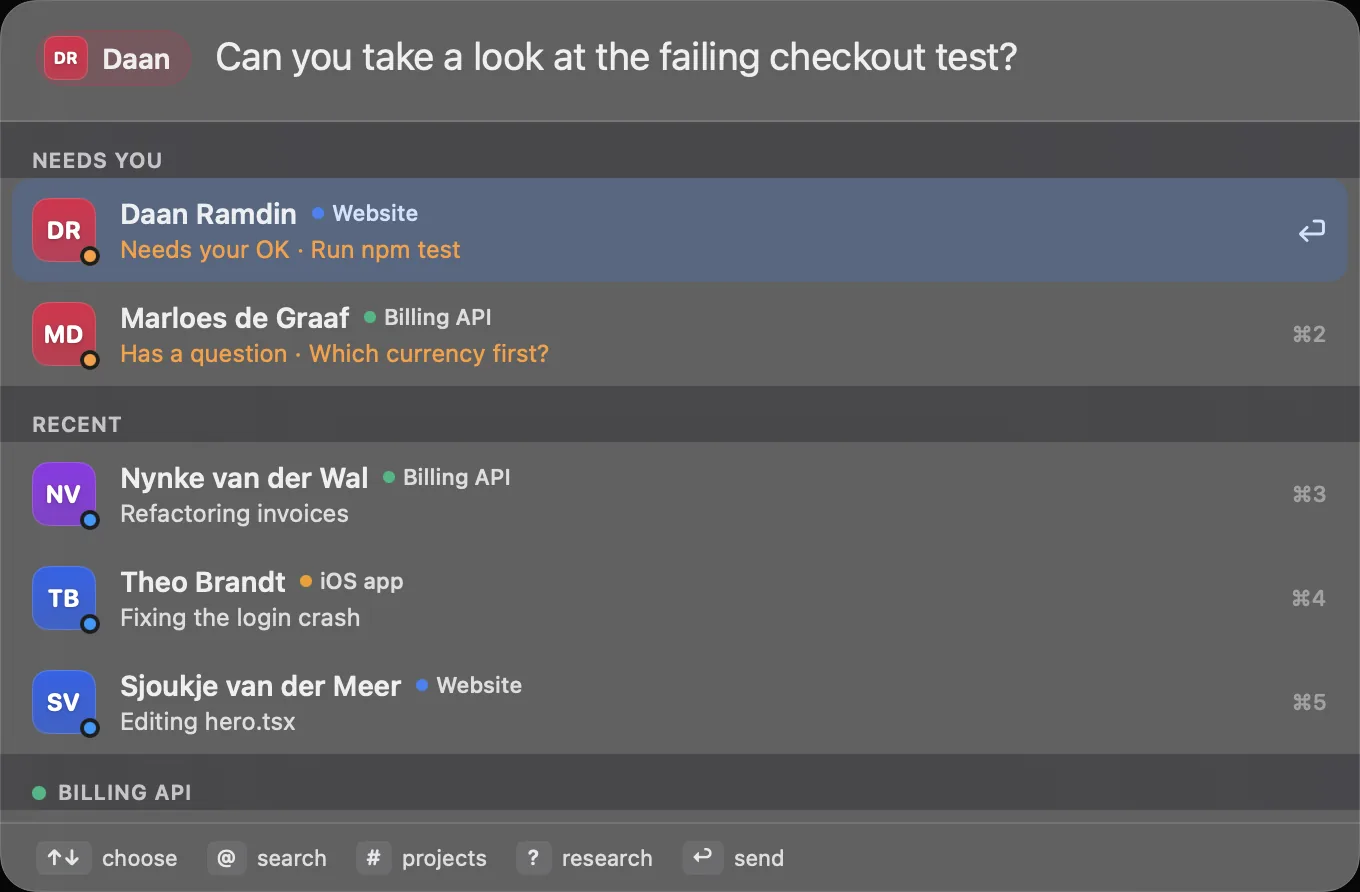
A small native Swift app runs alongside the office. It shows who needs me in the menu bar, sends real notifications and has a Spotlight-style quick send bar (⌥Space) to message any engineer from anywhere, with files and screenshots attached.
Under the hood
For the curious, this is how it fits together:
- Server: a Node.js HTTP + WebSocket server manages every agent's lifecycle, the question and permission queue, the task boards and the cost ledger.
- Engines: Claude Code runs through the Claude Agent SDK, with streaming input, permission callbacks and an in-process MCP server. Cursor and Antigravity run through their own CLIs in stream-JSON mode.
- Tools: the office's own tools for teamwork, tasks and memory are defined once and exposed to every engine over MCP, with a CLI fallback when an engine's MCP config can't be used.
- Client: a three.js world written in TypeScript and built with Vite: the building, the blocky avatars, the first-person controller and every panel.
- State: plain JSON plus one append-only JSONL transcript per agent, so opening a chat costs the same however long it gets.
Two principles show up all over the codebase. First, one tool layer for every engine: if a feature only works for one engine, it's not finished. Second, nothing is measured while nobody looks. The server room, which shows the Mac's vitals and every Docker container as racks of blinking blades, only streams stats while its panel is open or I'm standing near it.
Where it fits
Before Agent Office I built ClawHQ, a dashboard where OpenClaw agents clock in and pick up tasks. Agent Office goes a step further: the agents don't just report to a dashboard, they live somewhere, and the place itself tells me what's going on.
It's also the natural next step from what I wrote about in I Haven't Written "Boilerplate" in 12 Months. Once AI writes most of the code, the job becomes directing the work, and Agent Office is my attempt at a good place to do that from.
Agent Office is a private project for now. You can find the feature overview and tech stack on its project page.