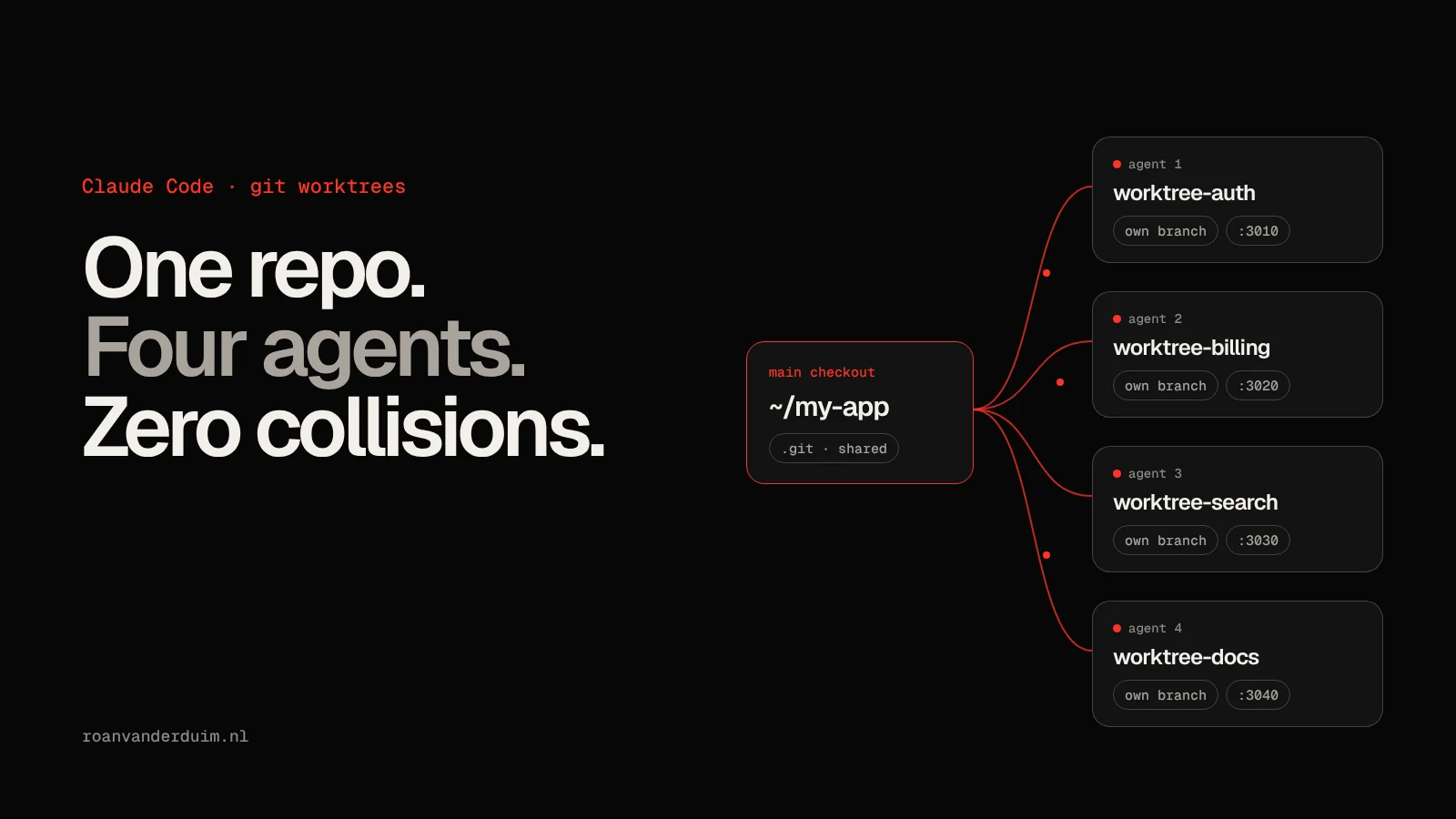
One Claude Code session is a pair programmer. Three of them in the same folder is a bar fight. They overwrite each other's files, one runs the test suite while another is halfway through a refactor, and your git status turns into a crime scene.
The fix is old, boring and perfect: git worktrees. A worktree is an extra checkout of the same repository, on its own branch, in its own folder. Give every agent its own worktree and they can't step on each other's files.
The short version:
- Start each agent in its own worktree with
claude --worktree <name>. Claude Code creates.claude/worktrees/<name>/on a new branch calledworktree-<name>. - Remember a worktree is a fresh checkout. Install dependencies in it, copy your
.envwith a.worktreeincludefile, and give each agent its own port. - Split work by ownership, not by "whatever's next", so merging back stays boring.
- Merge one branch at a time and run the tests on the merged result.
Here's how to set it up, the traps to watch for, and how I ended up automating all of it.
What a git worktree actually is (and why agents need one)
A normal clone gives you one working directory. git worktree lets you attach more working directories to the same repository. Each one has its own files on disk and its own checked-out branch, but they all share one .git: the same history, the same objects and the same remotes.
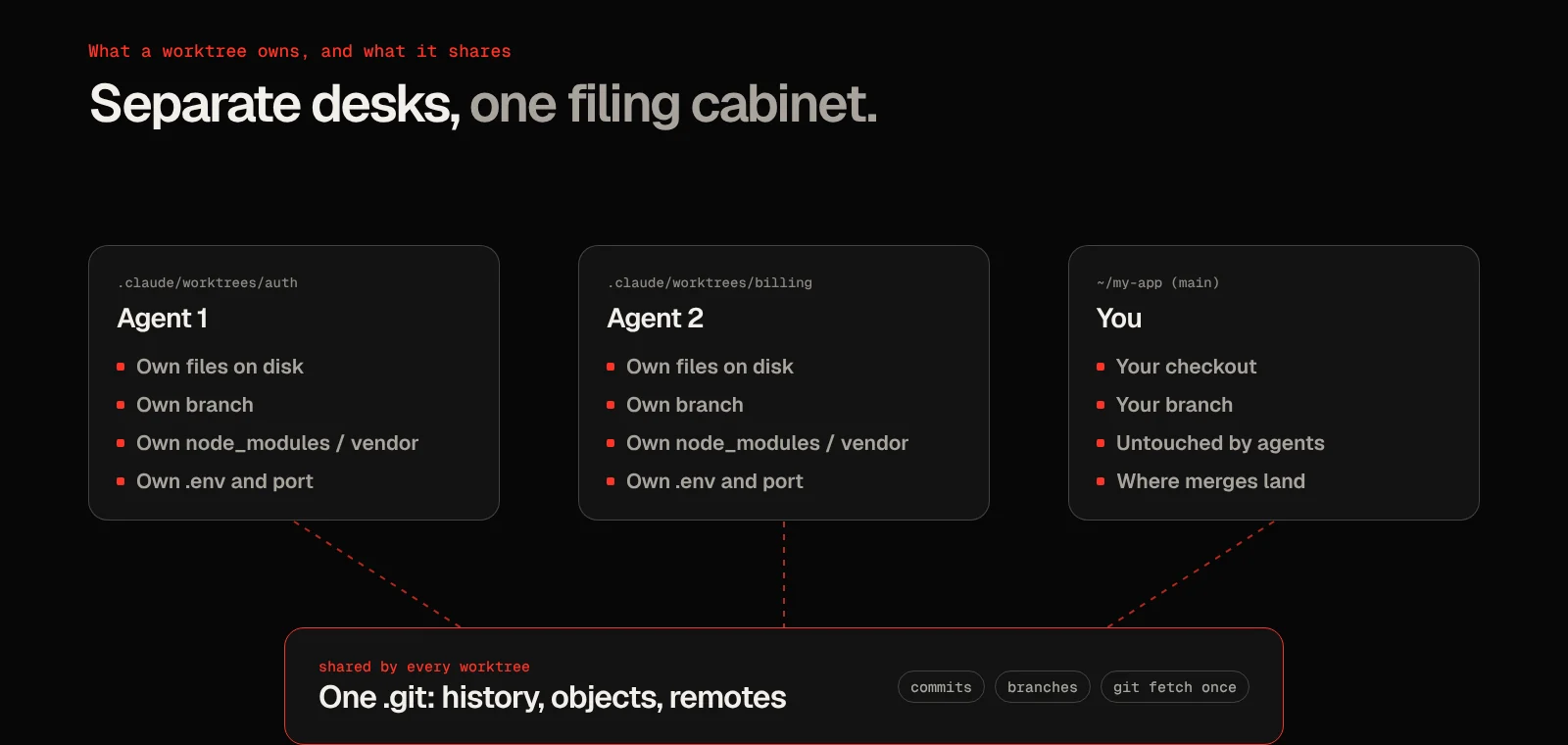
That combination is exactly what parallel agents need. Isolation where it hurts (the files they edit) and sharing where it helps (one git fetch, one set of branches, commits that are instantly visible everywhere). Compared to cloning the repo four times, you skip four downloads and four copies of the history.
The quick way: claude --worktree
Claude Code has worktree support built in. In a repository with at least one commit:
claude --worktree feature-authThat creates .claude/worktrees/feature-auth/ at the root of your repository, on a new branch named worktree-feature-auth, and starts the session inside it. Open a second terminal, run the same command with another name, and you have two agents that can't touch each other's files. Leave the name out and Claude picks one for you, something like bright-running-fox.
Two small things save you some confusion:
- Ignore the folder. Add
.claude/worktrees/to your.gitignore, or your main checkout shows every agent's files as untracked. - Know what happens when you exit. A clean worktree from an unnamed session is removed automatically, branch and all. If there's work in it, Claude asks whether to keep or remove it. Keep it and you can return later with the
claude --worktree <name> --resumecommand it prints.
Isolation isn't just a convention either. While a session lives in a worktree, Claude Code blocks edits to files in your main checkout and refuses commands that would run git against it. That's a nice safety net for the moment an agent decides to "just quickly fix" something in the wrong folder.
The part nobody warns you about: it's a fresh checkout
This is the part that catches everyone out. A worktree contains tracked files only. Everything git ignores is missing:
- no
node_modules/orvendor/, so nothing runs until you install dependencies - no
.env, so the app can't find its database or API keys - no build output or caches
Dependencies are easy: ask the agent to install them as its first step, or run your setup yourself. For the git-ignored files you do want, Claude Code reads a .worktreeinclude file in the root of your project. It uses .gitignore syntax and copies every matching ignored file into each new worktree:
.env
.env.local
config/secrets.json
Then there are ports. Four agents that all run npm run dev or symfony serve on the same port is the bar fight again, just one layer down. Give every worktree its own port, for example by offsetting a base port per agent: 3010, 3020, 3030. And watch out for shared services. Four worktrees pointing at one local database will happily run each other's migrations.
Doing it by hand with git
Sometimes you want a worktree somewhere else, or on a branch that already exists. Plain git does all of it:
# A new branch in a new folder next to your project
git worktree add ../my-app-search -b search-filters

# An existing branch
git worktree add ../my-app-bugfix fix-issue-456

# See every worktree and the branch it has checked out
git worktree list

# Remove one when you're done (add --force if it has uncommitted changes)
git worktree remove ../my-app-search
Start claude inside any of those folders and it works like a normal session. One rule git enforces for you: a branch can only be checked out in one worktree at a time, so two agents can't silently share a branch.
Splitting the work so merges stay boring
Worktrees solve the "same files at the same time" problem. They don't solve the "same files in different branches" problem. That one comes back at merge time, with interest.
What works for me:
- Split by ownership. One agent on the auth flow, one on the billing page, one on docs. Not two agents on "improve the API".
- Plan before you parallelize. Agree on contracts first, like the shape of an API response, so two branches don't invent two versions of it.
- Pick the right starting point. New Claude Code worktrees branch from your default branch on the remote by default. If agents need your unpushed work, set
"worktree": { "baseRef": "head" }in your settings to branch from your currentHEADinstead. - Merge one at a time, update the other branches, and run the tests on the merged result. Each branch being green on its own proves very little.
The honest bottleneck isn't the agents anyway. It's you. Four agents produce four branches that all need a review, and reviewing is the one job you can't hand off.
Subagents in their own worktree
You don't always need separate terminals. Claude Code can give its own subagents a worktree each: ask it to "use worktrees for your agents", or make it permanent for a custom subagent with isolation: worktree in its frontmatter:
---
name: refactorer
description: Applies mechanical refactors across many files
isolation: worktree
---

Apply the requested refactor across every affected file, then run the tests
and report the results.
Each subagent gets a temporary worktree. Claude Code removes it when the subagent finishes without changes, and keeps it around when there's work in it.
How I automated all of this in Agent Office
Doing this by hand for every project gets old fast, so I built it into Agent Office, the 3D office I run my coding agents from. Every project room can switch to a worktree per engineer, and a temporary setup engineer does the boring part:
- Studies the project read-only: README, manifests and lockfiles, CI config,
.env.exampleand docker-compose files. It never changes project files. - Writes the room's setup: the base branch, install commands (
npm ci,composer install,uv sync), which ignored files to copy, port variables, checks like the build or tests, and teardown commands. - Gives every engineer their own ports by offsetting each port variable by 10 per engineer, so
PORT=3000becomes 3010, 3020 and so on. - Proves it works in two fresh trial worktrees side by side. Every step has to pass and the main checkout has to stay clean before it's allowed to finish.
After that, every engineer works on their own office/… branch in a worktree outside the project folder. When work is approved, Merge only runs when it's safe: the base branch is checked out, there are no local changes and no conflicts. Otherwise nothing is touched.
Frequently asked questions
Do git worktrees use a lot of disk space?
Less than separate clones. The history and objects live once in the shared .git. Each worktree does have its own copy of the working files, plus whatever you install in it, like node_modules. That last part is usually the big one.
Can two worktrees use the same branch?
No. Git refuses to check out a branch that's already checked out in another worktree, which is exactly what you want with parallel agents. Create a new branch per worktree instead.
Do worktrees share Claude Code's memory and settings?
Partly. Claude Code's auto memory is stored per repository, so all worktrees of one repo share it. "Don't ask again" permission approvals from a worktree session are saved to the main checkout, so they apply everywhere. Each worktree reads the CLAUDE.md on its own branch. I wrote more about that in CLAUDE.md vs AGENTS.md: One Memory for Every Coding Agent.
How many agents should I run in parallel?
As many as you can actually review. Two or three focused agents on clearly separated tasks beat six agents on overlapping ones, because every branch eventually lands on your desk.
Conclusion: More Desks, Same Foreman
Worktrees turn "several agents in one repo" from a gamble into a routine. Every agent gets its own desk, its own branch and its own port, and they all share the same filing cabinet.
What they don't do is review the work for you. Parallel agents multiply output, and they multiply the reviewing just as fast. The setup is the easy part now. Deciding what's worth merging is still the job.